Introducing Networth: your Indian, Singapore and US stocks in one total
Indian shares from before you moved, a few Singapore stocks bought locally, some US tech on the side. Three brokers, three apps, three currencies, and no single number. Networth fixes that: add your stocks from any market and see one honest total, in rupees, Singapore dollars or whatever you spend.
The problem: three brokers, three currencies, no total
If you've lived or worked in more than one country, your investments probably have too. Reliance and Infosys on the NSE. DBS or the STI ETF on the SGX. Apple or an S&P 500 fund through a US account. Each broker shows you its own slice in its own currency. None of them answers the simple question: what is all of it worth, right now, in the money I actually spend?
The spreadsheet fix sounds easy until you try it. You copy prices by hand, look up the rupee and Singapore-dollar rates, remember that London quotes in pence rather than pounds, and by next week the whole thing is out of date.
What Networth does
It does one job: it turns everything you hold into one number.
- Search for a stock or ETF by ticker or company name. Type “Reliance”, “DBS” or “Apple”, or a symbol such as RELIANCE.NS, D05.SI or AAPL.
- Enter how many units you own.
- Pick your currency. Networth converts every holding and adds them up.
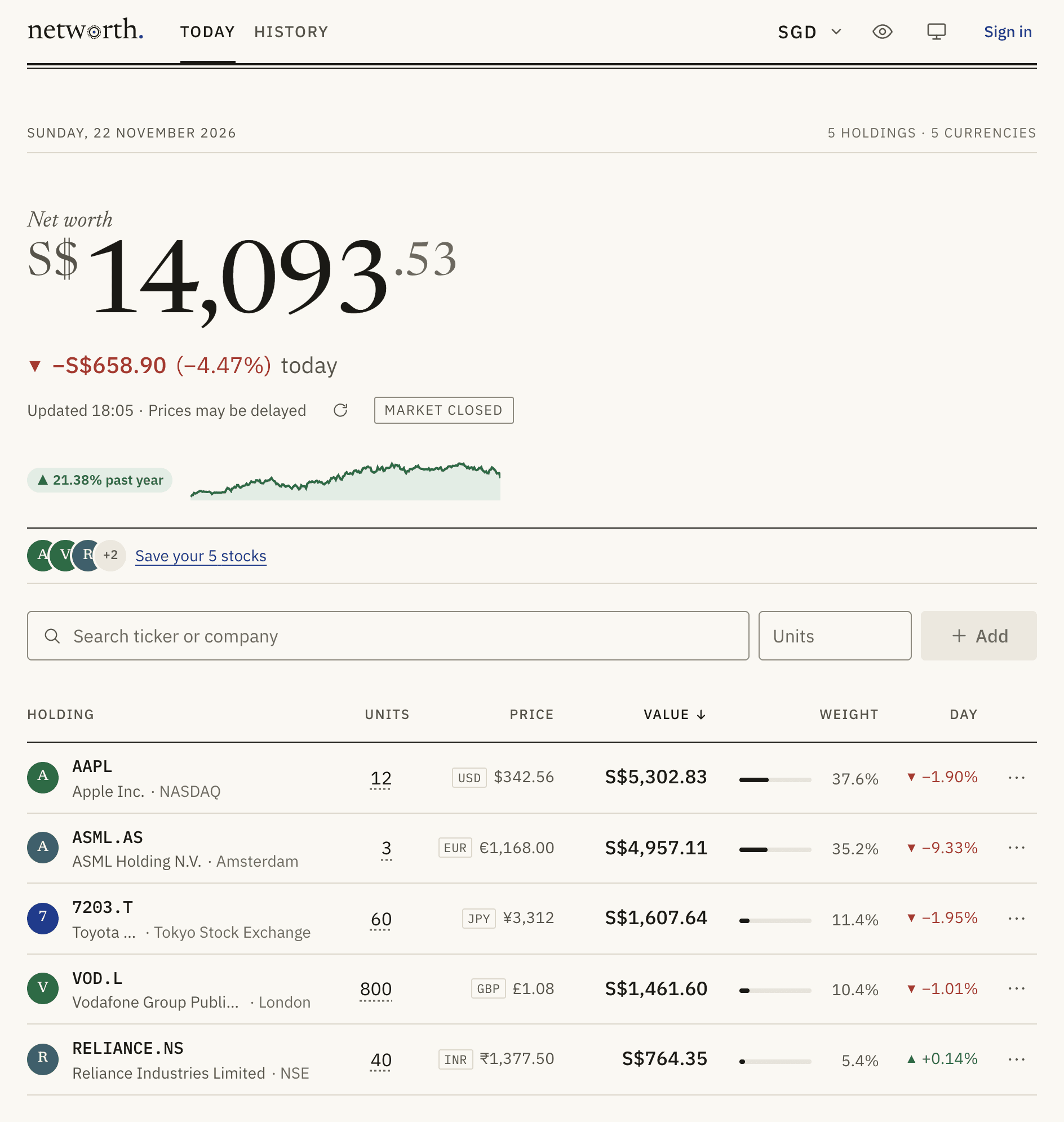
It covers India (NSE), Singapore (SGX), the US, the UK, Europe, Japan, Canada and Australia, and shows totals in ten currencies, including INR, SGD, USD, GBP and EUR. Prices refresh every 60 seconds while the page is open.
Made for rupees and Singapore dollars
- Rupee totals look like rupees. Amounts in INR use lakh grouping, so you see ₹10,13,240 rather than ₹1,013,240.
- Singapore dollars are never mistaken for US dollars. SGD totals read S$14,093.53, and each holding still shows the price in its own currency next to the converted value.
- SGX codes are searchable by name. Nobody remembers that DBS is D05. Search by company name and, if you tell Networth you hold Singapore shares, .SI listings come first. The ticker symbols guide explains suffixes like .NS and .SI.
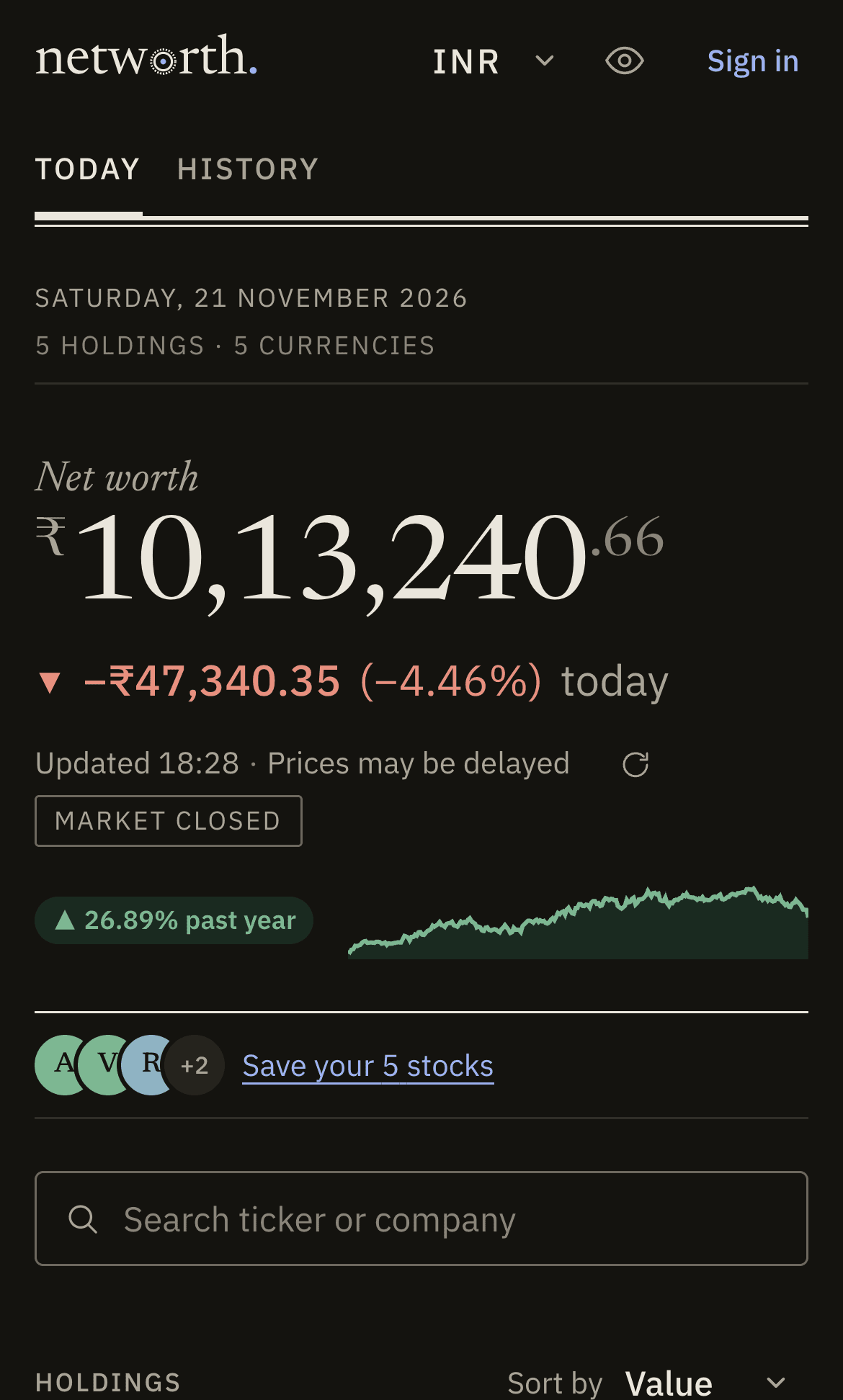
Try it before you sign up
You don't need an account to see your total. Open the site, add a few holdings and the number appears. If you like it, sign in with Google to save your portfolio and see it on any device. If you don't, close the tab: nothing you typed is kept.
There's no brokerage connection, ever. You never hand over a broker password or bank details, because Networth only needs to know which shares you hold and how many.
Small details that keep the number honest
- It never guesses. If a price or exchange rate can't be fetched, that holding is left out of the total and clearly marked. It doesn't silently use yesterday's price or assume a rate of 1.
- Pence become pounds. London prices quoted in pence are converted, so a price of 72.40 counts as £0.724, not £72.40.
- You can see when prices last updated. NSE, SGX and many other exchanges publish free quotes with a delay, and Networth says so rather than pretending to be live.
Beyond the total
A few extras help you see how things are going. History and goals need an account, since they build up over time:
- History: how your portfolio's value and profit and loss have moved over time.
- A net-worth goal and milestones, so you can see progress toward a number that matters to you, in the currency you think in.
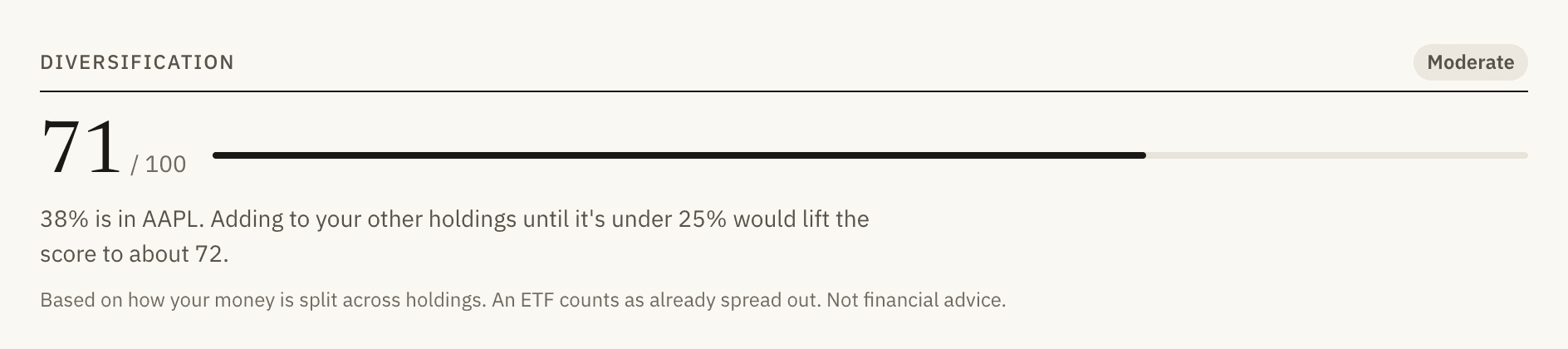
- A diversification score from 0 to 100 that shows how spread out your holdings are, and gives ETFs credit for holding many companies. Here's how it works.
What we store, in plain words
If you sign in, Networth stores your email address, the name and profile picture Google shares, your holdings (each symbol and how many units), your preferences and goal, and the milestones your total reaches. Prices are fetched using ticker symbols only, so price providers never see who you are or how much you hold. You can delete your account from Settings at any time, and everything goes immediately. The full details are in the Privacy Policy.
What it doesn't do
Networth doesn't trade, hold money, connect to banks or give financial or tax advice. It's a calculator for what you already own, and prices can be delayed. Check with your broker before you make decisions.
It's free, and I'd love your feedback
Networth is free to use. If a ticker you hold doesn't show up (especially a smaller NSE or SGX name), or there's something you'd want next, tell me at the address on the About page. I read every message.
New to tracking shares across countries? Start with how to track stocks from different countries in one currency.